Trello’s free plan and its $5 Standard tier are the best value in this category, and most teams leaving Trello are not leaving those. They are leaving Premium.
That is the useful frame. At $5, nothing here beats Trello for a small team running independent work. At $10 — the tier where Calendar, Timeline, Table, and Dashboard finally appear — Trello costs more than ClickUp Unlimited and does considerably less. So before you migrate anything, check which of these actually applies to you:
- You need dependencies. Trello has none at any tier. No plan fixes this.
- You are on Premium for the views. You are paying $10 for what ClickUp includes at $7 alongside Gantt, time tracking, and unlimited storage.
- You cannot see across boards. Trello is excellent per board and offers almost nothing above it.
- You hit 10 collaborators on free. A real ceiling that arrives sooner than people expect.
- Your client guests became billable. A guest on one board is free; on two, they cost a full seat.
Each of those points somewhere different.
Quick verdict
The alternatives at a glance
| Alternative | Entry paid price | Dependencies | What you gain over Trello |
|---|---|---|---|
| Trello Premium | $10/user | None | Timeline, calendar, table, dashboard |
| ClickUp | $7/user | Yes | Dependencies, Gantt, time tracking, storage |
| Asana | $10.99/user | Yes | Sequence, enforced ownership, reporting |
| monday.com | $12/seat (3-seat floor) | Yes | Cross-board dashboards, viewers |
| Notion | $10/member | Manual | Documents attached to the work |
| Todoist | $5/mo total | None | Speed, if you were the only user |
| Planka / Wekan | Free self-hosted | Limited | Control, no per-seat cost |
If you need dependencies: ClickUp
ClickUp
An all-in-one workspace combining tasks, docs, dashboards, goals, and automation, aimed at teams that want to consolidate tools.
- Best for
- Trello teams whose work has a required order and who are already paying for Premium
- Pricing
- Free plan; paid plans from $7/user/mo billed annually ($10 monthly)
This is the migration that pays for itself immediately, because you are almost certainly moving to a cheaper plan.
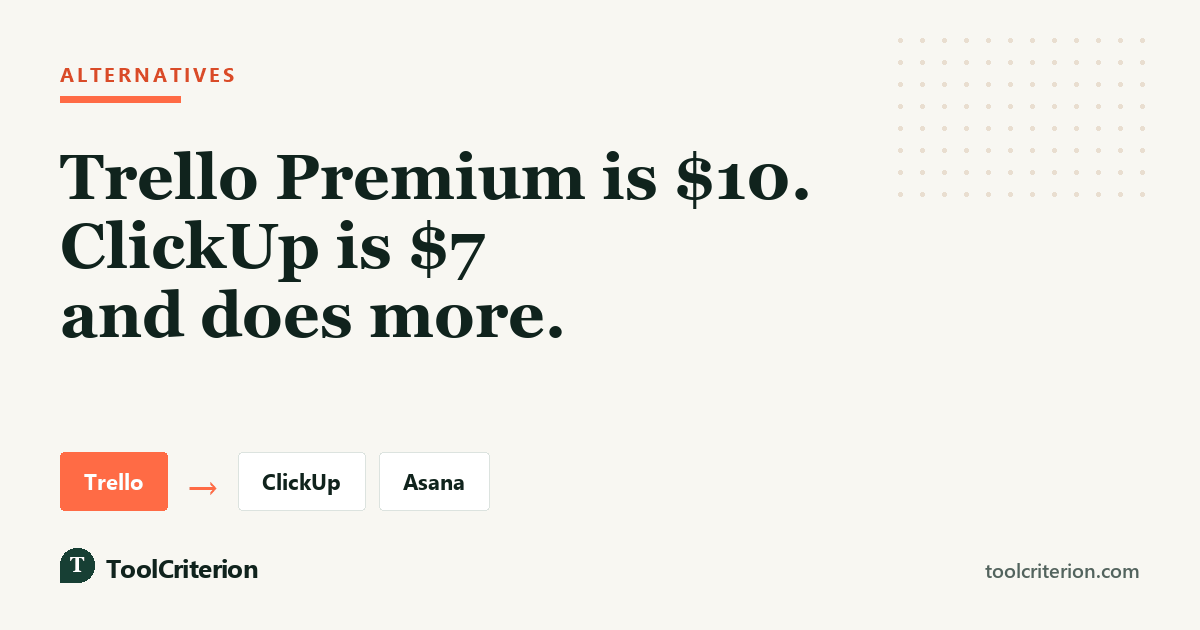
ClickUp Unlimited is $7 against Trello Premium’s $10, and the feature gap runs entirely one way: task dependencies, Gantt charts, native time tracking, unlimited storage, and goals are all included. Trello gives you none of those at any price.
The trade is the one ClickUp always asks for. Trello’s defining quality is that it requires no decisions; ClickUp requires a lot of them, and new teams commonly need around three weeks before they are productive. If you chose Trello specifically because nobody wanted to administer a tool, understand that you are hiring that job back.
Two other caveats worth weighing before you move: ClickUp’s most persistent complaint is speed in large workspaces, reported consistently through early 2026, and its free plan caps total storage at 60MB.
Pros
- Cheaper than Trello Premium at $7 against $10
- Dependencies and Gantt, which no Trello tier offers
- Native time tracking included on paid plans
- Free plan has no user cap, unlike Trello free's 10 collaborators
- 5,000 automation runs a month on the $12 tier
Cons
- Around three weeks of setup, against Trello's zero
- Performance complaints in large workspaces through early 2026
- Guest seats are metered rather than unlimited
- Free plan storage capped at 60MB
If work has to happen in a fixed order: Asana
Asana
A structured work management platform built around projects, tasks, timelines, and reporting for teams that want a clear process.
- Best for
- Teams that used Trello cards as a to-do list for a process nobody had written down
- Pricing
- Free for up to 2 users; paid plans from $10.99/user/mo billed annually ($13.49 monthly)
Trello lets you attach three people to a card and never asks who is responsible. For some teams that is flexibility; for others it is the reason things stall.
Asana enforces one assignee per task, models dependencies from Starter, and includes reporting that does not require a Power-Up. It is the honest choice when your complaint about Trello is not a missing feature but a missing discipline.
Two costs. Starter is $10.99 — more than double Trello Standard, and slightly above Premium. And above five users Asana bills in five-seat blocks, so your sixth hire moves you to ten paid seats. That is roughly $528 a year for seats nobody uses, and it is a worse billing trap than anything Trello has.
If you cannot see across boards: monday.com
monday.com
A visual work platform built on colour-coded boards, with strong dashboards and automation for teams that manage work by status at a glance.
- Best for
- Teams of three or more whose Trello boards multiplied faster than anyone could follow
- Pricing
- Free for up to 2 seats; paid plans from $9/seat/mo billed annually with a 3-seat minimum
Trello is very good at one board and offers almost nothing above it. Once you run eight or ten boards, the question “what is the state of everything” has no answer inside the product.
monday.com is built for exactly that view, and it does it without asking anyone to become an administrator — non-technical staff build and change their own boards, which is the closest thing here to Trello’s ease of use. It also allows unlimited free viewers on every plan, so stakeholders can watch without consuming budget.
Two limits. The three-seat minimum makes it the wrong shape below three people, and the tier with timeline views is Standard at $12, so the real floor is $36 a month. And Standard allows only 250 automation actions a month, which is far less than Trello Premium’s unlimited Butler runs — if you automated heavily in Trello, this is a downgrade.
If Trello was really a shared document: Notion
Notion
A connected workspace for documents, wikis, and databases, used for project tracking by teams that write as much as they task-manage.
- Best for
- Teams whose Trello cards were mostly long descriptions and attachments
- Pricing
- Free plan; Plus $10/member/mo and Business $20/member/mo billed annually
Some Trello boards are not workflows. They are a content calendar, a research inventory, a client record — structured lists where the valuable part is what is written inside the card.
Notion handles that natively at $10 a member, with documents as first-class objects rather than attachments. Two limits: the free plan applies block limits as soon as a second person joins, so it is not a free team tool, and performance degrades measurably past roughly 5,000 records.
If you were the only person using it: Todoist
Todoist
A task manager focused on personal throughput, with fast capture, natural-language input, and light project structure.
- Best for
- Solo users who kept a Trello board because it was there
- Pricing
- Free plan (5 personal projects); Pro $5/mo and Business $8/user/mo billed annually
Plenty of Trello boards have one member. If that is you, Todoist Pro is $5 a month total rather than per user, and its natural-language capture is faster than dragging cards.
It is deliberately narrow — no dependencies, no time tracking, limited collaboration — but if you were using perhaps a fifth of Trello, that is not a loss.
Other options worth knowing
Linear is the common destination for engineering teams leaving Trello. It is keyboard-first, very fast, and deliberately opinionated about issues and cycles. It is a poor fit for anything that is not software development, and we do not cover it in our ratings for that reason.
Jira is the other Atlassian product, and moving to it from Trello is the least disruptive migration technically — same company, shared account model. It is also considerably more tool than most Trello teams want, and it is worth being honest that this move is usually made for engineering reasons rather than because Trello ran out.
Airtable suits teams whose boards were really databases, with a free tier for five users. Paid plans start at $24 a seat, so the structure has to genuinely be the requirement.
Self-hosted alternatives
We earn nothing from any of these.
Trello is unusually well served here, because the board-and-card model is simple enough to reproduce faithfully.
Planka and Wekan are both close open-source equivalents, deploying via Docker, and will feel familiar to anyone moving from a Trello board on day one.
Focalboard sits a step further up, offering boards alongside more structure, and suits small teams that want a little more than Trello without running something heavy.
OpenProject is the option if the reason for leaving is governance — audit trails, portfolio reporting, GPL v3 with a functional Community edition.
The usual caveat applies: no licence cost, real operational cost. Someone runs the server, applies updates, and owns backups. For a five-person team that person’s time costs more than $25 a month.
Which alternative should you pick
You are paying for Trello Premium. ClickUp at $7 does more for less. This is the clearest case here.
Tasks block other tasks. ClickUp at $7 or Asana at $10.99. No Trello tier can do this.
You hit 10 collaborators on free. ClickUp free has no user cap — provided your files live elsewhere, because storage is 60MB.
Boards multiplied and nobody can see across them. monday.com at $12, if you have three or more people.
Your client guests started costing money. Asana, where guests outside your email domain are free and uncapped. This inverts the usual pricing conclusion for agencies.
Nothing above applies. Then stay on Trello Standard at $5 — our Trello pricing guide covers whether Standard or Premium fits. It remains the cheapest credible paid tier in this category, and our Trello vs monday.com and ClickUp vs Trello comparisons both conclude that teams running independent work under ten people are usually right to keep it.
For the wider field at small sizes, see best project management software for small teams, or Asana vs Trello if those two are the shortlist.
Compare ClickUp plansPricing verified in September 2026 against the official pages for Trello, ClickUp, Asana, monday.com, Notion, and Todoist. Guest billing was checked against Atlassian’s multi-board guest documentation. Prices are USD at annual billing and may change.